

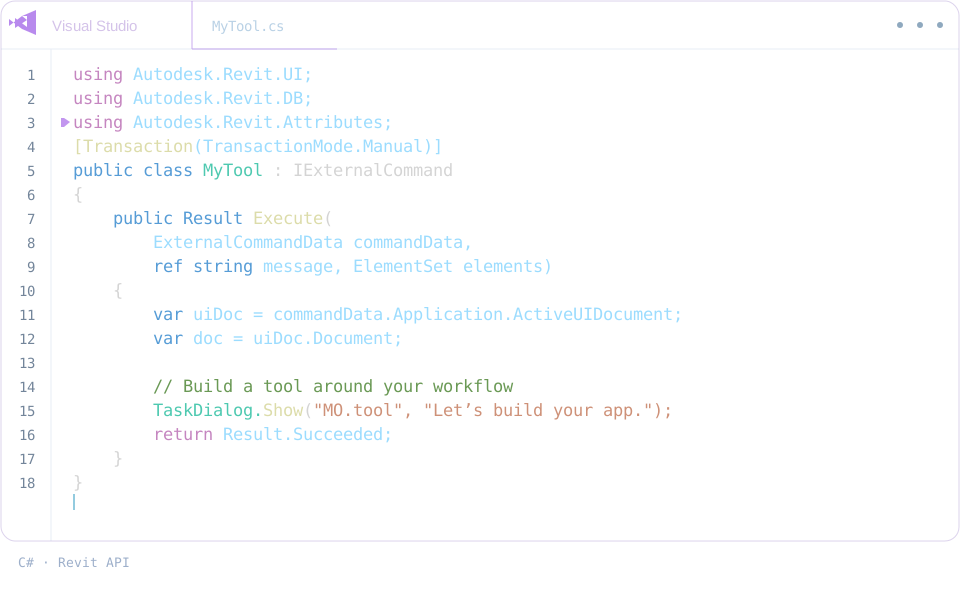

Revit and Navisworks connect to MO.tool, with C#, Python and Revit API.
MO.tool · BY MOSTAFA RAZAK
NEW7 tools just added · CCTV, Access Control, Lightning Protection & more

48 Revit tools.
One toolkit.

MO.tool brings model management, coordination, electrical, fire alarm & ELV design and drawing delivery together in one Revit add-in.

Explore all 48 tools
Built for BIM workflows.
MO.tool · Revit · {3D} Coordination modelLIVE
One model, every system: structure, HVAC, plumbing, cable tray, fire alarm, CCTV, access control and lightning protection.Explore the tools →
PRODUCT TOUR · 44 SECONDS

From hours of clicks to one ribbon.

Watch an MEP engineer’s repeat work in Revit become 48 tools on one ribbon: tagging, numbering, clash checks, fire alarm, sheets and more.

MO.tool · Product tour
INSIDE MO.tool

Seven workflows. One toolkit.

Pick a tool.
Explore it in an interactive example.

0113 TOOLS

Model management

A model, in order.

Elements, worksets, links and information. Keep the project organized as it grows.

0209 TOOLS

Coordination

See where models meet.

Find clashes, trace hidden elements, see what changed since last time and keep a live 3D beside the plan.

0310 TOOLS

Electrical

From circuit to single line.

Connect loads and panels, route cable trays, protect the roof, and bring diagrams, schedules and lighting into the workflow.

0408 TOOLS

Fire alarm & ELV

Loops, zones, racks and doors.

Wire and number fire alarm loops, draw risers, check public address lines, size data racks, and lay out CCTV and access control.

0505 TOOLS

Sheets & output

Ready for the drawing set.

Place views, organize sheets and prepare your drawings and quantities for delivery.

0602 TOOLS

Legends

Give every symbol a place.

Turn CAD details and Revit families into clear, organized legends.

0701 TOOLS

Add-in settings

Choose what loads.

Manage the add-ins that run with Revit from one place.

GET MO.tool

Choose your package.

Try the toolkit first.
Choose the license that fits your work.

EXPLORE THE TOOLKIT

Free Trial

Free / 5 days

Try MO.tool in your real Revit projects.

  • Most of the 48 tools are open for the full trial
  • Single line, Capacitor bank, Generator sizing, Access control, Fire alarm and Make hosted work twice each
  • Panel schedule designer, Fire alarm riser and CAD to legend need a purchase
  • Five days from your first activation. No payment required
THE COMPLETE ADD-IN

Full Package

Price coming soon

Get the complete MO.tool collection for your everyday projects.

  • All 48 Revit tools
  • One device · your chosen license duration
  • Access to published installer releases
Buy Selected Package

Purchase options will be available soon.

PICK ONLY WHAT YOU NEED

Build Your Bundle

You choose / 1–48 tools

Select your favorite Revit tools and save more as your bundle grows.

  • Different price for every tool
  • Automatic bundle discounts up to 25% (example)
  • Monthly or Yearly · one device
Choose My Tools

See your total instantly. No payment until checkout.

  1. 1
    Choose your toolsA Full Package or only the tools you need, in the currency shown for your country.
  2. 2
    Pay by transferBank transfer, InstaPay or PayPal, depending on your country. Then enter your transfer reference.
  3. 3
    We confirm itUsually within a few hours, up to 1–3 working days for a bank transfer. You get an email.
  4. 4
    Download and activateYour license key and the installer are waiting in My account.
BUILD YOUR OWN MO.tool

Your tools. Your price.

Mix tools across all seven workflows. The more you add, the bigger the automatic discount.

Loading MO.tool catalog…

ONE REVIT ADD-IN

From model
to drawing.

MO.tool follows your work through modelling, coordination, MEP and ELV design, and delivery — in the same Revit session.

BIMMEPELVIEC · BS EN
01

Manage your model

Elements, worksets and links under control. Match properties, keep notes and tasks, and organize information as the project grows.

02

Coordinate the models

Live clash checks, a report of what changed since last time, and Revit’s own 3D beside the plan — so problems surface while you model.

03

Design MEP & ELV

Circuits, single lines, cable trays and lightning protection; fire alarm loops, CCTV, access control, public address and data racks.

04

Deliver the drawings

Views placed and sheets organized, legends built, drawings printed with thin lines and the BOQ filled straight from the model.

OUR VISION

Technical standards.
Business goals.
One connected workflow.

Our vision is to bring technical quality and business delivery together through clear standards, connected tools and practical automation. We want teams to produce consistent engineering work, reduce repeated tasks and deliver faster with confidence.

MO.tool · Our vision
01

Standardized technical work

Turn company standards and project requirements into repeatable steps that teams can follow consistently.

02

Connected decisions

Keep technical requirements and business priorities aligned across the model, documentation and delivery process.

03

Speed with control

Automate repeated work while keeping engineering checks, clear outputs and team accountability in the workflow.

Explore our future direction
FUTURE DIRECTION

More connected.
More adaptable.

We want to make everyday technical workflows easier to connect, extend and maintain. Our development priorities will be shaped by the projects and teams we build for.

01 / CONNECT

Workflows that work together

Bring related modelling, coordination and drawing tasks into connected sequences with clear information passing between tools.

02 / ADAPT

Standards shaped around teams

Make workflows more adaptable to company procedures, local requirements and changing project specifications.

03 / IMPROVE

Tools guided by real projects

Use team feedback and practical project examples to guide new tools, clearer explanations and future improvements.

FOR YOU & YOUR COMPANY

Let's build your app.

Have an idea for a Revit tool? Message Mostafa on WhatsApp for help or a custom solution for your company.

Chat on WhatsAppConnect on LinkedInDirect contact with Mostafa Razak
ABOUT THE ADD-IN

Good questions.

What is MO.tool?

MO.tool is a Revit add-in by Mostafa Razak. It includes 48 tools across model management, coordination, electrical design, fire alarm and ELV (CCTV, access control, public address, data), sheets and output, legends, and add-in settings.

Are these separate plugins?

The tools shown here belong to the MO.tool add-in. Each card explains one tool within the collection.

Can I download MO.tool now?

Choose Free Trial for five days of access. Installer downloads become available when the latest release is published. Your trial does not start before the installer is ready.

How will pricing and licenses work?

Choose Free Trial, a Full Package, or pick individual tools for a discounted custom bundle. A license is issued only after your payment is confirmed, and it opens the tools you bought in your account.

How do I pay, and how long until my tools open?

Pay by bank transfer, InstaPay or PayPal, depending on your country, then enter your transfer reference on the payment page. We check our account and confirm your order, usually within a few hours; a bank transfer can take 1–3 working days. We email you when it is confirmed, and your tools open in My account.

Do I need an account?

Yes, sign in with your Google account. Your license key, installer download, tools and payment history are all in My account.

Which Revit versions are supported?

MO.tool runs in Revit 2024, 2025 and 2026. One license works on one PC.

Can I cancel an order or get a refund?

You can cancel an order that is still waiting for payment from My account, and nothing is charged. For a payment you already made, see our refund policy.

MO.tool collection overview

Explore the tool categories included in MO.tool.

Free Trial · 5 days

Your five days start with the first trial activation. Most tools are open; a few work twice each, and three need a purchase.